



Stop operating your business blindfolded! These 12 top CRM reports will help you make better business decisions – across your sales, marketing, and customer success functions.
Failing to track and analyze your CRM data leads to wasted opportunities and poor business decision-making.
Many CRM platforms allow you to organize and visualize your valuable data automatically with reports.
But which CRM reports should you be using?
And what decisions can those specific reports help you make?
Feel free to skip to the section with the answers to your specific questions:
- What Is A CRM Report?
- Why Creating CRM Reports Is Important
- 3 Common Challenges In Creating CRM Reports And How To Solve Them
- 12 CRM Reports Every Business Should Evaluate
What Is A CRM Report?
A CRM report is a report that organizes CRM data and displays it in a visual format that’s easy to understand and analyze.
These reports reveal hidden patterns and trends that drive better decisions.
As CRM reports track KPIs, business people can pinpoint strengths, weaknesses, and opportunities for growth within their teams and operations.
Why Creating CRM Reports Is Important
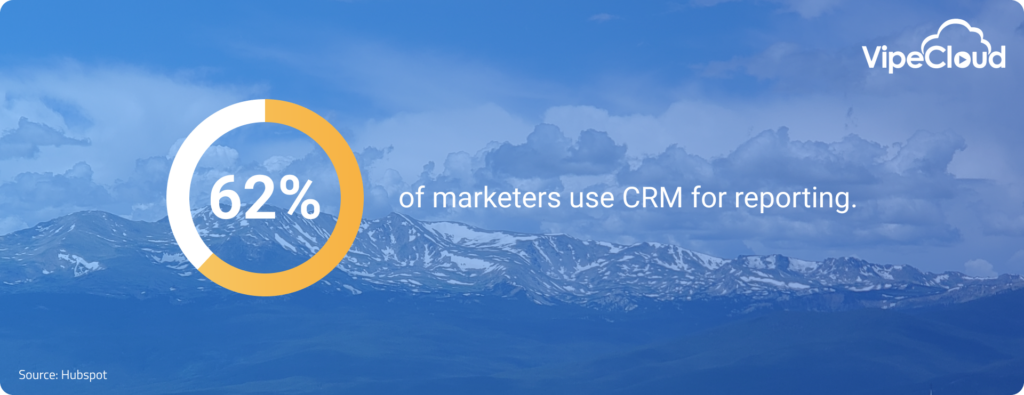
62% of marketers use CRM for reporting.
Here are 3 reasons why:
1. Better Data-Driven Decision-Making
CRM reports bring the power of real-time data to the forefront, from sales performance to marketing effectiveness and customer engagement.
Every metric tells a story.
CRM reports allow leaders to make informed decisions based on concrete historical data, not intuition.
2. Improved Operational Efficiency
CRM reports help businesses streamline their day-to-day operations.
By identifying repetitive tasks, resource overallocation, and process bottlenecks – businesses can automate workflows, optimize resource allocation, and boost overall efficiency.
In other words, CRM reports help you find gaps in your sales, marketing, and customer support operations so you can fill them.
This translates to reduced costs, saved time, and a more agile organization ready to adapt to changing market demands.
3. Enhanced Customer Experience
CRM reports can give you a 360-degree view of your customer base, revealing their interactions, preferences, and pain points beyond demographics.
Good CRM reporting can help businesses to better personalize marketing campaigns, deliver targeted support, and proactively address potential issues.
3 Common Challenges In Creating CRM Reports And How to Solve Them
Before we show you the specific CRM reports you should be using – let’s address 3 common problems people run into when trying to drive meaningful insights from their data.
- Inaccurate Data
Inaccurate, incomplete, and inconsistent data in your CRM can lead to misleading reports and inaccurate insights.
Things like duplicate entries, missing information, and inconsistencies across fields make CRMs a nightmare to navigate.
Here are 3 tips to keep your data clean:
- Implement regular data cleansing routines to identify and eliminate duplicate entries, fix typos, and standardize formats.
- Establish clear data ownership and entry protocols to ensure data quality and consistency.
- Use built-in validation tools or create custom rules to prevent invalid data entry.
- Too many metrics
Having too many metrics to evaluate makes it difficult to identify which ones truly matter and how they relate to each other.
This can lead to cluttered reports and a lack of focus, making it difficult to extract actionable insights.
Make sure you:
- Clearly define business objectives and identify the key metrics that support them. Prioritize these metrics and focus on reporting on their trends and relationships.
- Use data visualizations and dashboards to present reports in a clear and concise manner.
- Unactionable Insights
Who’s going to care about your reports if your team can’t learn from them?
Reports often become unopened or overseen emails, failing to translate into concrete actions or decisions.
This can be due to a lack of context, actionable recommendations, or clear ownership of insights.
Solution:
- Provide context and background information within reports to help users understand the meaning of the data.
- Include actionable recommendations based on the insights presented, prompting your team users to take clear actions.
- Foster a culture of data-driven decision-making by assigning ownership of insights and implementing accountability measures.
12 CRM Reports Every Business Should Evaluate
There are way more than 12 CRM reports that you could create.
However, we decided to focus on 12 reports you can generate using VipeCloud’s CRM.
These reports are automatically generated for VipeCloud users to analyze their most essential data.
- Active Users
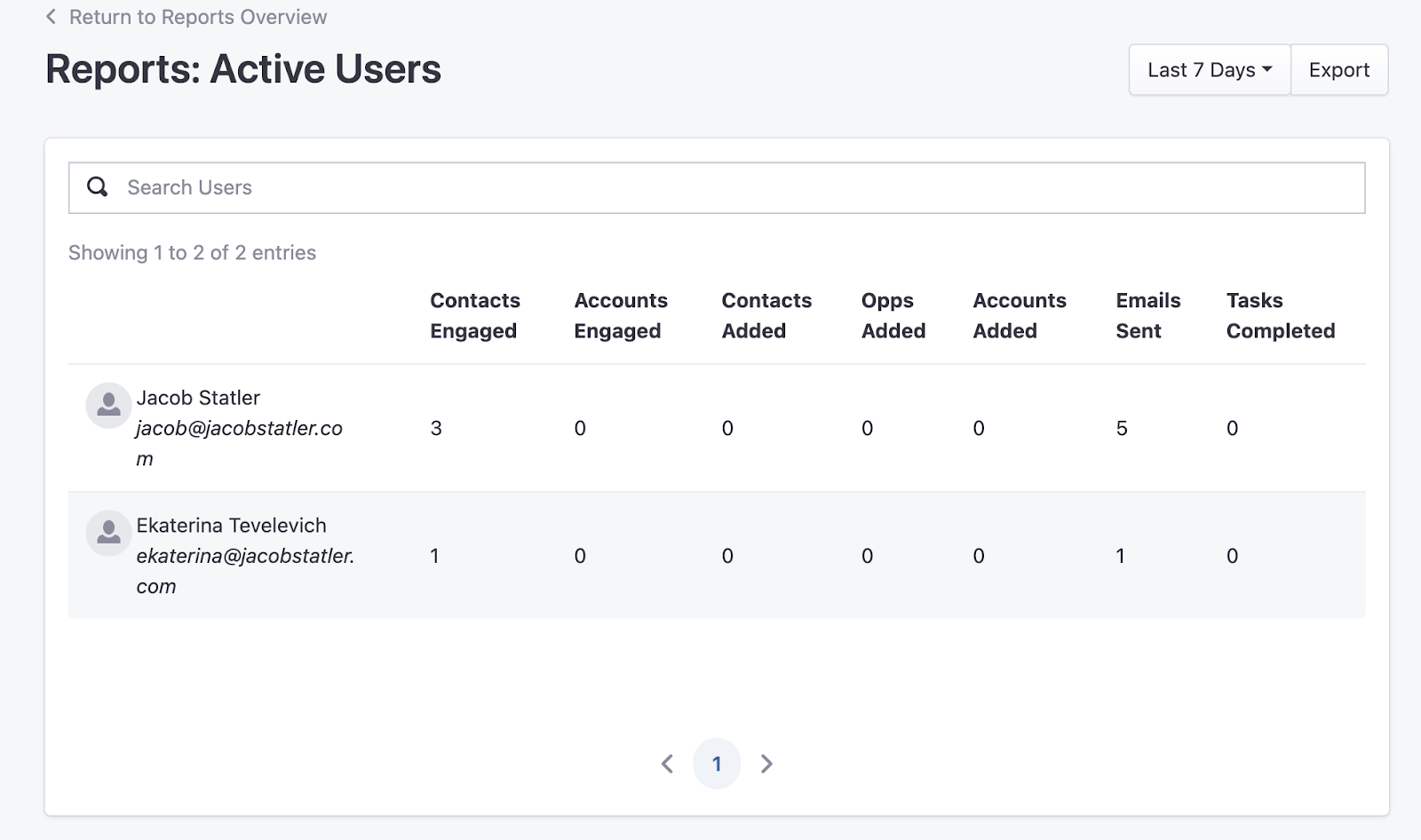
An Active Users Report typically serves as a visual representation of key metrics and activities related to user engagement and interaction within a CRM.
In other words, it gives you a brief overview of what your CRM users have been doing.
Here’s a brief explanation of the common indicators used to assess the activity of each user in a CRM:
- Contacts Engaged – Measures the number of contacts (individuals or entities) actively engaged. Engagement might include opening or responding to emails and clicking links.
- Accounts Engaged – Focuses on the engagement of entire accounts or organizations rather than individual contacts.
- Contacts Added – Tracks the number of new contacts added to the system. This could include new customers, leads, or any other contact relevant to the business.
- Opps (Opportunities) Added – Measures new opportunities created within the system. In a sales context, an opportunity might represent a potential deal or sale.
- Accounts Added – Similar to “Contacts Added,” this metric tracks adding new accounts or organizations to the system.
- Emails Sent – The total number of emails sent through the system. It provides insights into the communication volume and outreach efforts.
- Tasks Completed – The number of tasks or activities completed within the system. It could include tasks related to sales, customer support, or any other business process.
- Clicks By Link
The Clicks By Link Report provides a detailed breakdown of user interactions with specific links across various channels (emails, SMS, or websites).
It allows organizations to track and analyze the performance of individual links by measuring the number of clicks they receive.
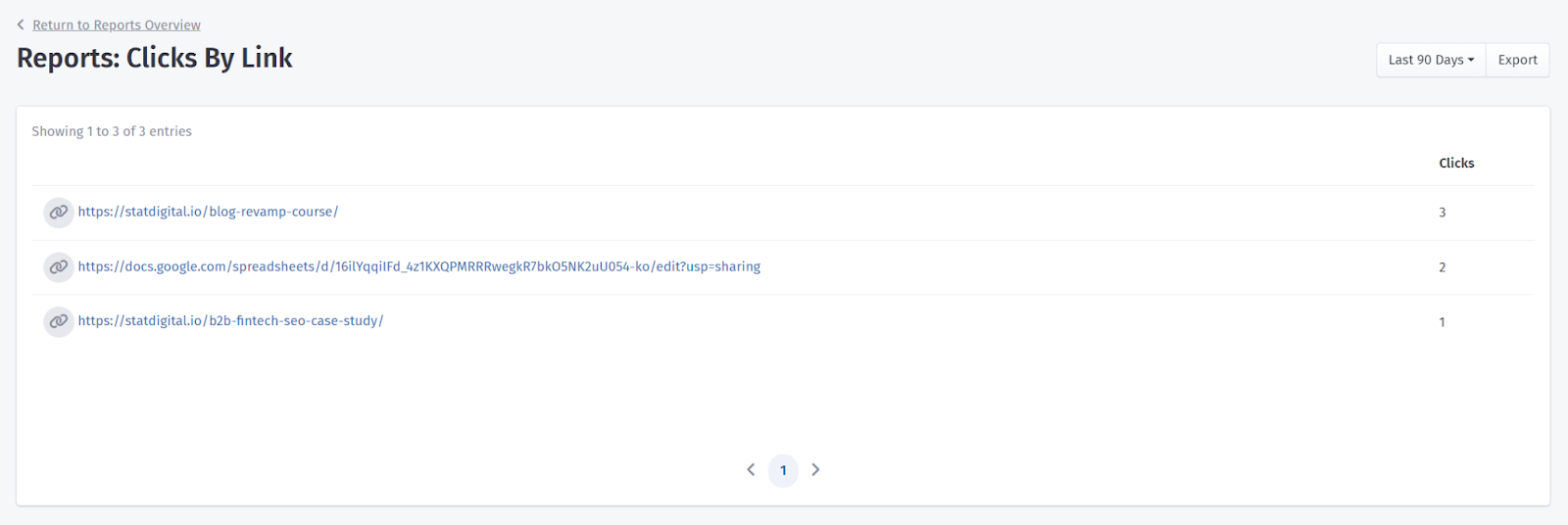
This helps you understand what resonates with your audience and optimize content to improve overall user engagement across various channels.
- Dropdown Custom Fields
Dropdown Custom Fields Reports are important for providing users with a flexible and tailored approach to data analysis and visualization.
CRM users have the ability to create custom dropdown fields to categorize or tag data.
These custom fields can then be used as filters in reports, allowing users to generate customized reports based on specific criteria.
- Emails
An Email Report is crucial for organizations using email marketing.
It gives valuable insights into the performance of email campaigns to help you determine what is or isn’t working.
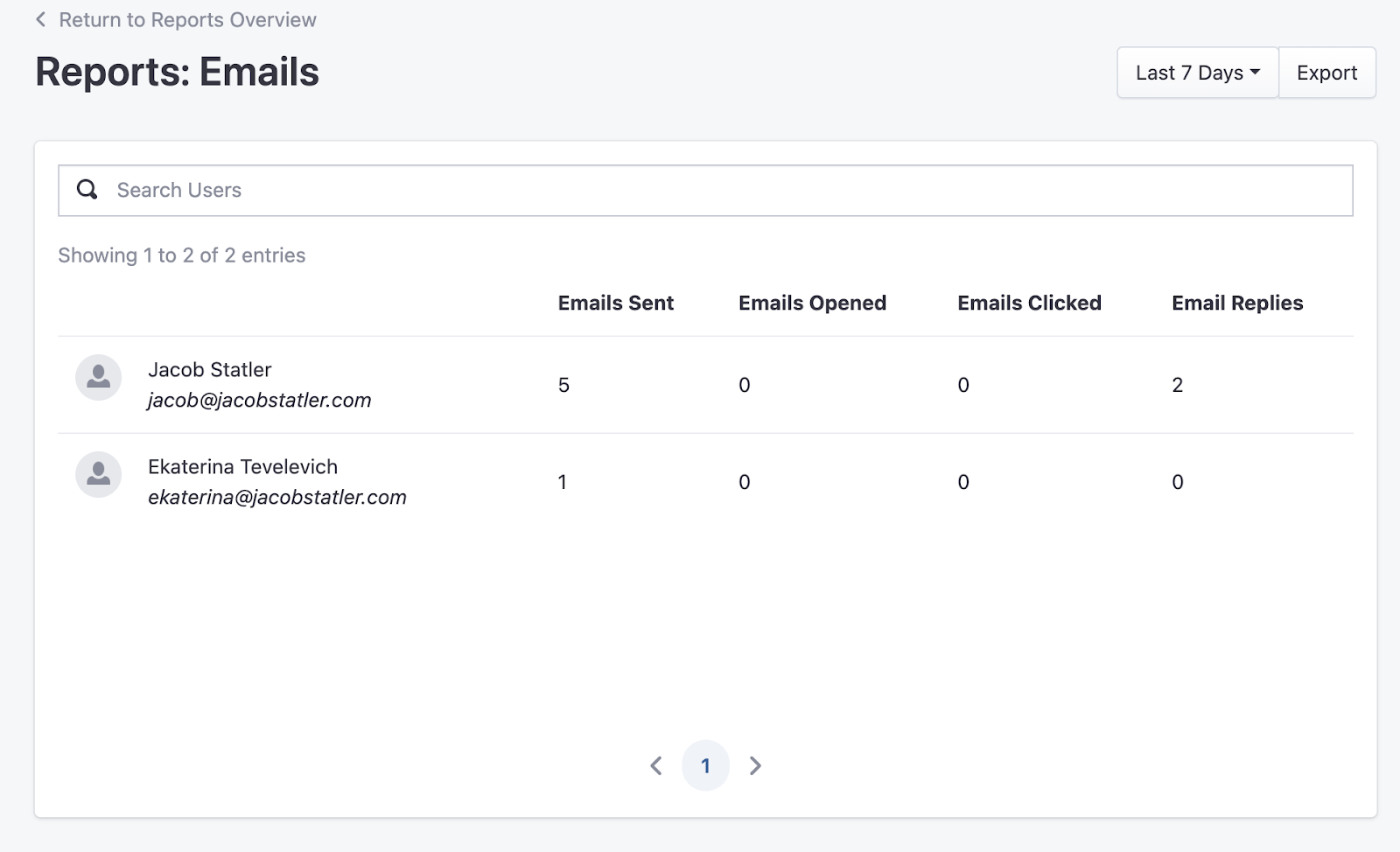
An Email Report typically shows you:
- Emails Sent
- Emails Opened – This gives you insight into how well your subject line and email preview text resonate with your audience.
- Emails Clicked – This tells you how effective your email CTAs are.
- Email Replies – Replies usually help you gauge how recipients overall engage with your emails.
Then based on this data, you can make optimizations to your email content and strategy.
- Email Templates
The Email Templates Report offers insights into the performance of specific email templates used in email marketing campaigns.
It includes key metrics like:
- Sends
- Opens
- Clicks
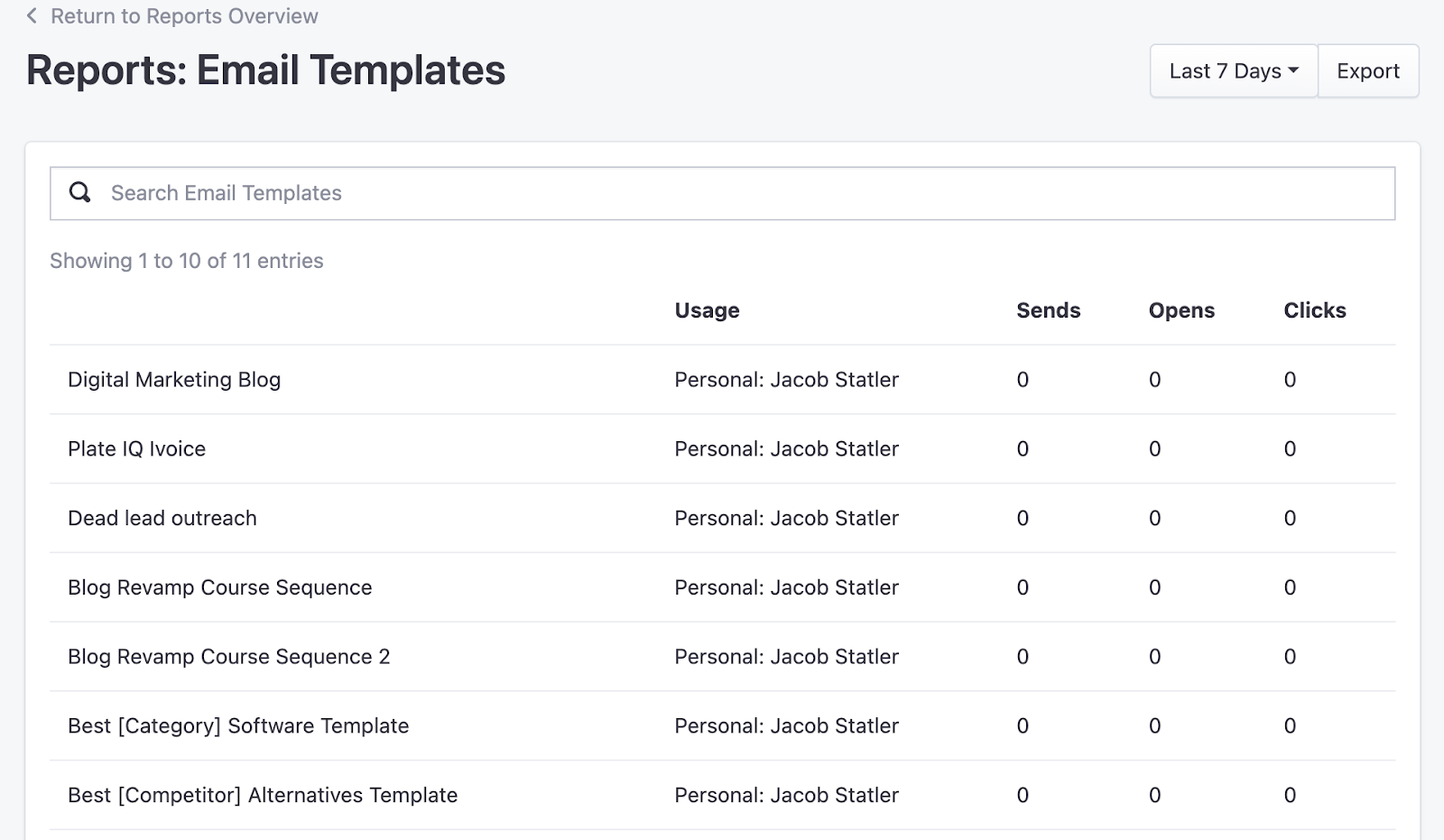
Email Template reports are especially useful when split-testing different scripts and messages.
This report allows you to quickly see which templates are your winners that you should double down on – and which ones you should consider ditching altogether.
- Item Counts
An Item Counts Report is an overview of each CRM user’s activity in your CRM, broken down by:
- Contacts added
- Accounts added
- Opportunities added
- Number of open tasks
- Number of completed tasks
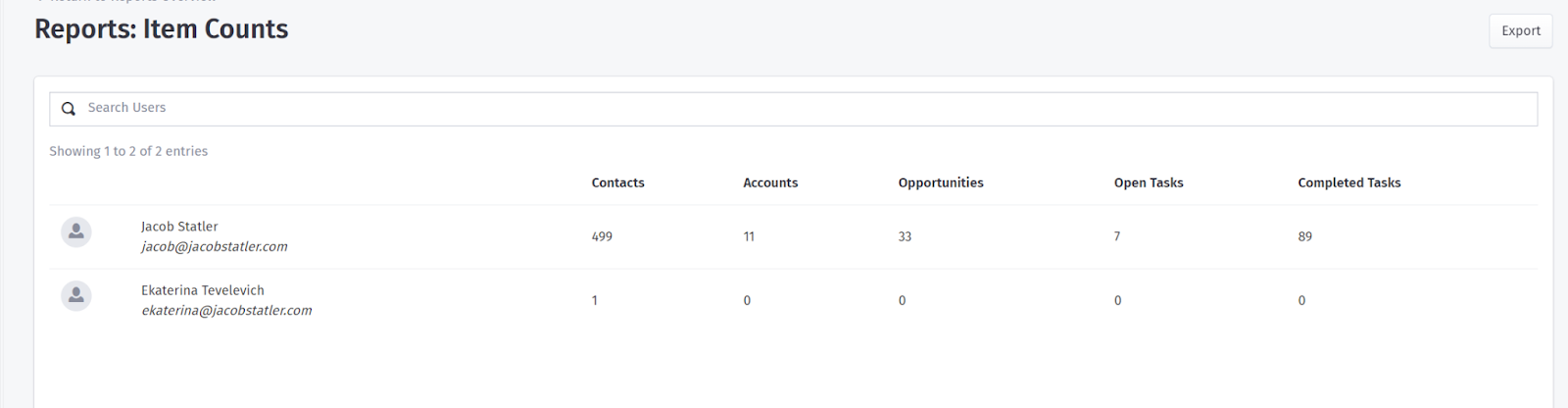
This gives you a quick overview of each user’s performance, workload, and activity.
- Mass Emails
A Mass Email Report is essential for measuring the performance of large-scale email campaigns.
It provides insights and analytics related to these key metrics:
- Mass Emails Sent – The total number of emails sent in a mass email campaign.
- Delivers – The number of emails successfully delivered to recipients’ inboxes.
- Uniq Opens (Unique Opens) – The number of individual recipients who opened an email.
- Clicks – The number of times recipients clicked on links within the email.
- Replies – The number of recipients who replied to the email.
- Unsubs (Unsubscribes) – The number of recipients who opted out of future email communications. This is usually a sign that your message isn’t relevant to your audience.
- Bounces – The number of emails that were not delivered due to various reasons (e.g., invalid email addresses, full inboxes)
- Spam Reports – The number of recipients who marked the email as spam. This could be a sign that you’re emailing the wrong people or that you’re partaking in spammy email practices.
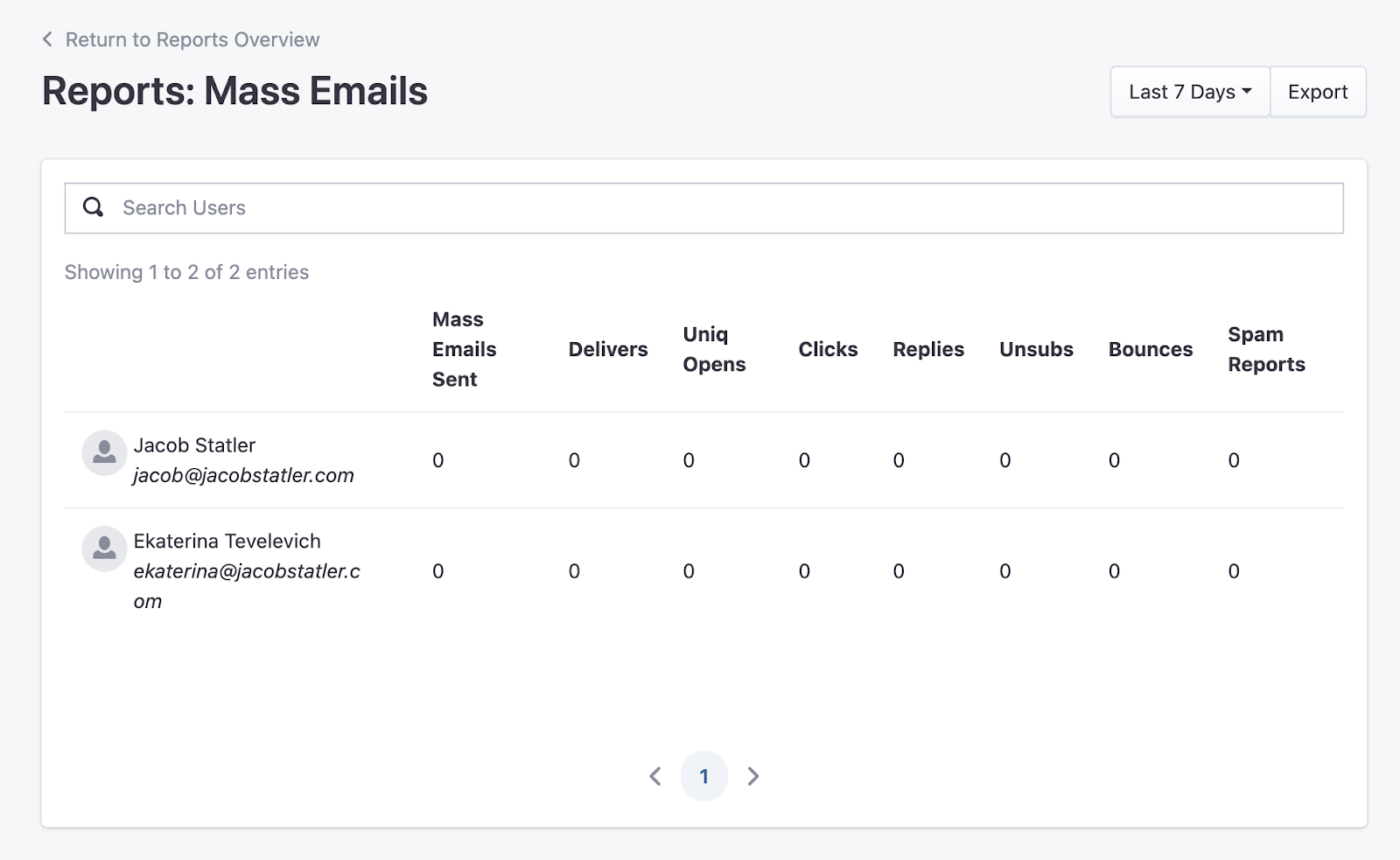
A Mass Email Report is crucial for optimizing future campaigns and maintaining a healthy email marketing strategy – that doesn’t hurt your reputation.
It also helps you understand recipient behavior and ensure compliance with industry standards.
- Sales Leaderboard
A Sales Leaderboard Report displays and ranks the performance of sales representatives or teams based on key metrics and achievements.
This report is commonly used to foster competition, motivate sales teams, and recognize top performers.
Here are some of the most common KPIs that sales leaders track:
- Win-Losses per rep
- Leads generated
- Revenue per rep
- Lead response time
- Conversion rates
- Average deal size
- Quota attainment
- Total revenue
Tracking all of these KPIs helps sales leaders drive continuous improvement in the sales process and business.
- Opportunities By Stage
An Opportunities By Stage Report is a sales report that provides insights into the distribution and progress of sales opportunities across different stages of the sales pipeline.
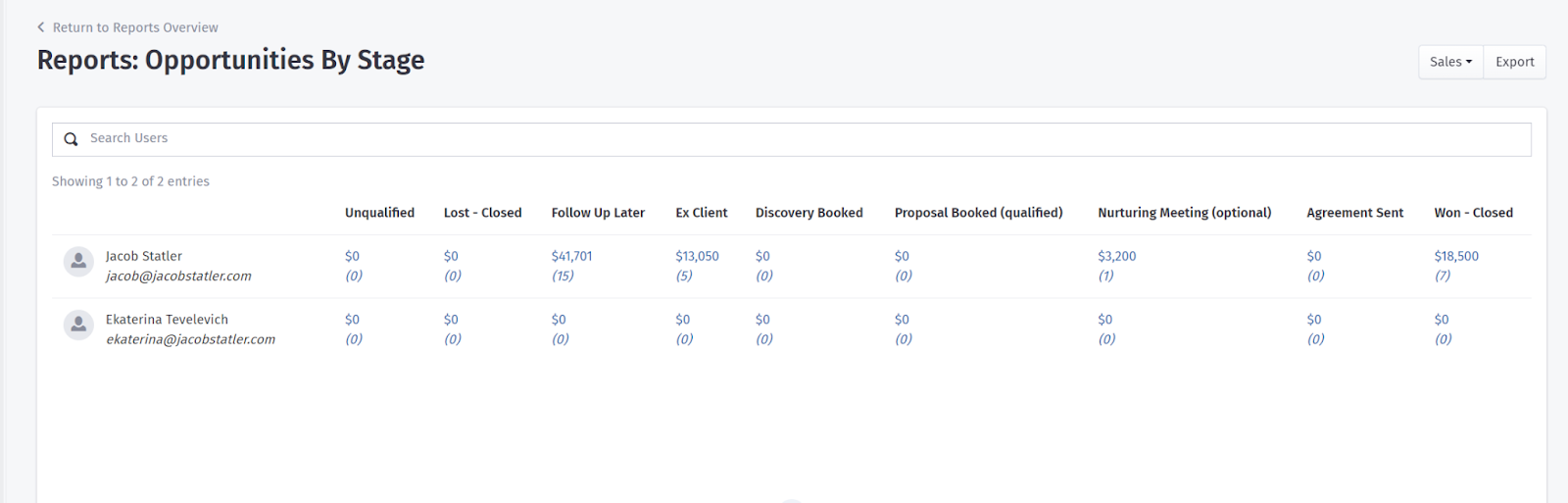
With VipeCloud’s CRM, your sales pipeline stages can be customized to fit your business, so your reports will reflect your specific sales process.
With a brief look, you can see the number of opportunities and the total value of opportunities at each stage.
This allows you to get a feel for the overall health of your sales pipeline, forecast sales revenue, find bottlenecks, and determine sales training gaps.
- Sales Velocity
A Sales Velocity Report hones in on specific KPIs that help measure the speed at which opportunities move through the sales pipeline and convert into revenue.
It provides insights into sales efficiency and effectiveness.
The sales velocity formula is typically expressed as:

Here’s a breakdown of the components in the sales velocity formula:
- Number of Opportunities – The total number of potential deals or opportunities in the sales pipeline. This helps you determine the effectiveness of your lead generation efforts.
- Win Rate – The percentage of opportunities successfully converted into closed deals. It represents the effectiveness of the sales team in winning deals.
- Average Deal Size – The average monetary value of closed deals. This metric reflects the typical value size of the deals closed by the sales team.
- Sales Cycle Length – The average time it takes for an opportunity to move from a lead generated to closure. This helps you measure the efficiency at which your sales teams move deals through the sales cycle.
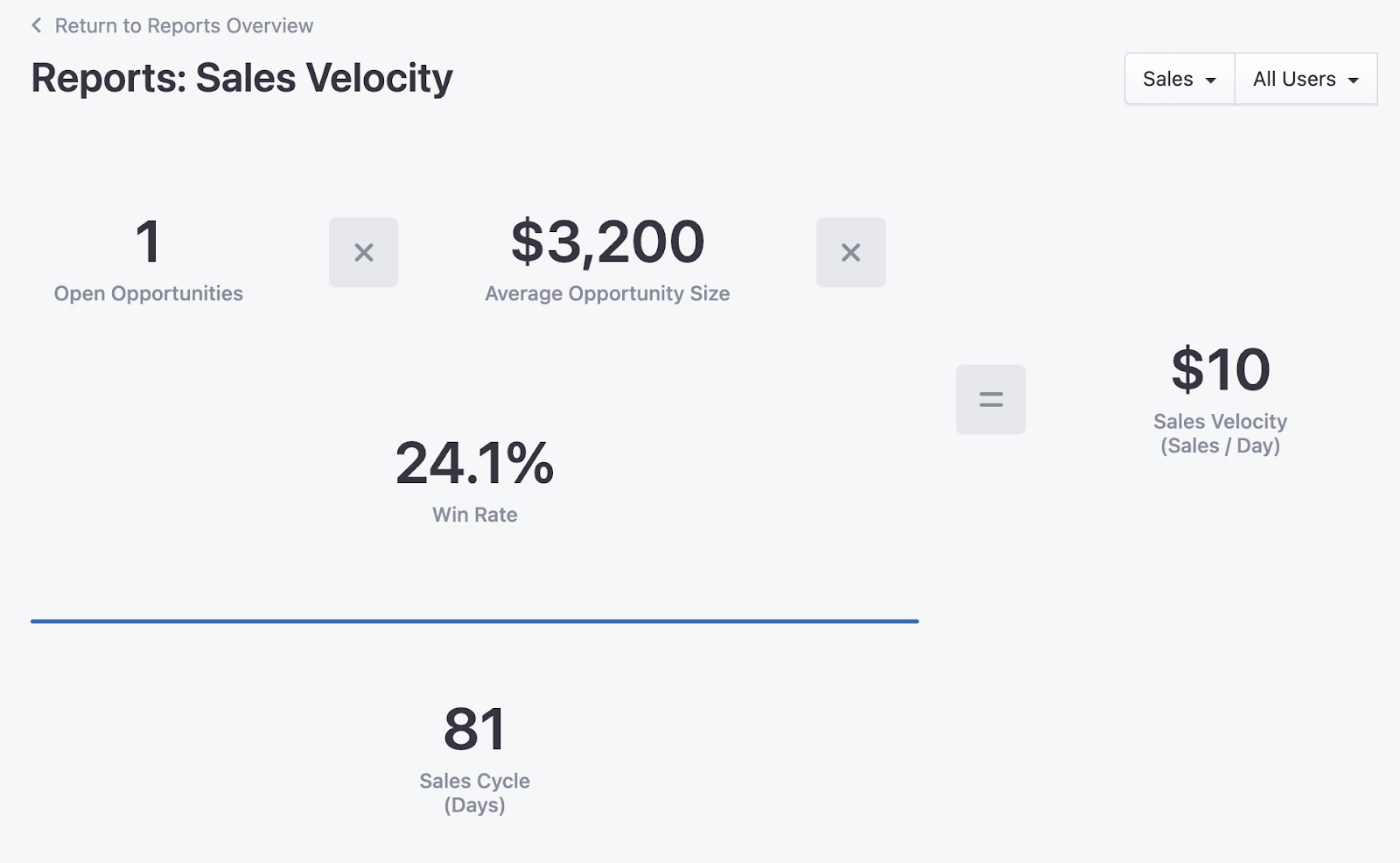
One of the top use cases for a Sales Velocity Report is for performance reviews, helping you answer questions like:
Are your reps generating enough leads? Are they generating opportunity sizes that match targets? Are they meeting and exceeding industry benchmarks for closing deals? Are deals moving swiftly through the sales cycle or are they lagging behind? And most importantly: Are you reaching your revenue quota?
- Recurring Revenue Pipeline
If your business lives off of recurring revenue, then you need to be tracking your Recurring Revenue Pipeline Report.
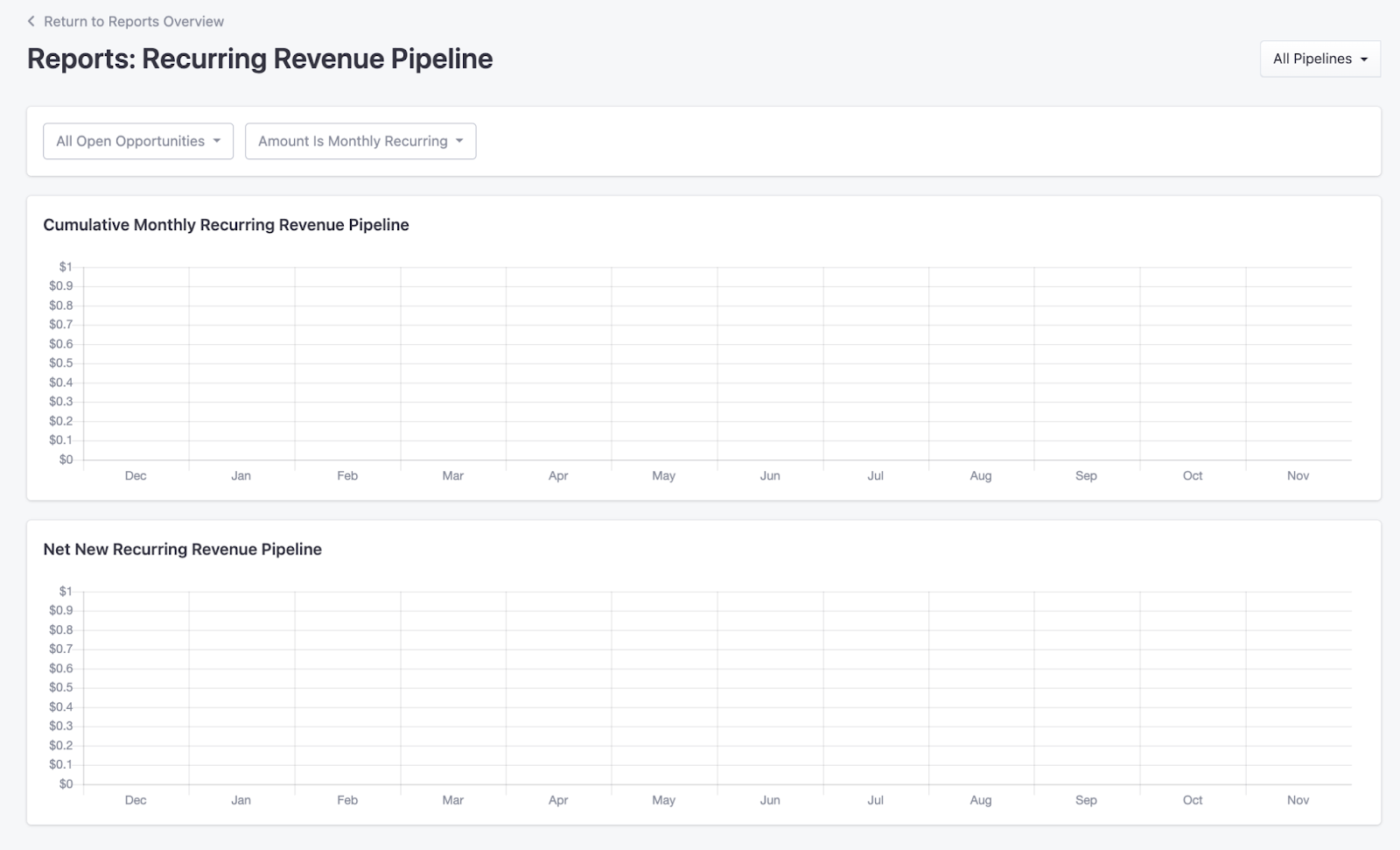
A Recurring Revenue Pipeline Report focuses on tracking and managing opportunities associated with recurring revenue streams.
It’s made up of 2 components:
- Cumulative Monthly Recurring Revenue Pipeline – The total expected monthly recurring revenue across all opportunities in the sales pipeline.
- Net New Recurring Revenue Pipeline – The incremental increase in monthly recurring revenue from newly acquired opportunities, focusing on the net growth in recurring revenue.
- Tasks by Type
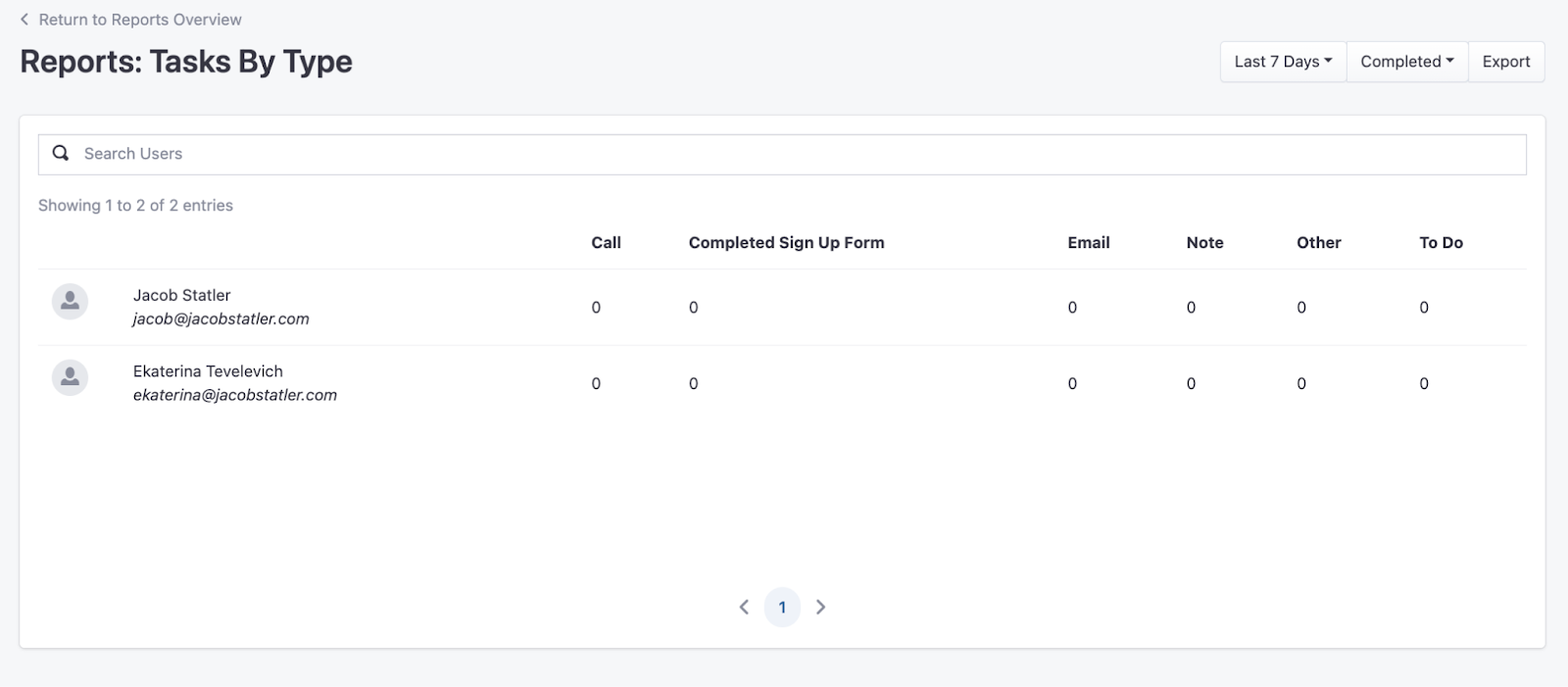
The Tasks by Type Report categorizes and summarizes tasks based on their respective types within a given timeframe.
Here’s a brief description of each task type:
- Call – Tasks related to making or receiving phone calls. This may involve reaching out to clients, team members, or stakeholders for communication purposes.
- Completed Sign Up Form – Tasks associated with the completion of sign-up forms. This could be part of a process involving customer onboarding, registration, subscription, or any other type of opt-in.
- Email – Tasks involving the sending or receiving of emails. This could be for marketing, sales, or internal communications.
- Note – This may include call summaries, capturing important details, or creating internal memos.
- Other – This covers various miscellaneous tasks or activities.
- To Do – Any type of tasks that need to be completed.
How Can VipeCloud’s CRM Reports Help You Make Better Business Decisions?
VipeCloud is an all-in-one CRM for sales, marketing, and customer support.
All 12 of these reports can quickly be generated and tracked within VipeCloud to improve your CRM user adoption and to make your operations more efficient and effective.
Want to start using CRM reports for your business?
Sign up for our 15-day free trial to get started.
Or, if you’d like to talk to our customer support team to see if VipeCloud is right for you, feel free to schedule a demo.